So you want to see the CDJ-3000 vs CDJ-3000X? Well, If you own a CDJ-3000, you know why clubs and pro DJs love it. It feels solid, sounds great and gives you a fast workflow. AlphaTheta built on that base. They made the CDJ-3000X and did not throw the old rules away. They refined them. The result targets modern DJs who live on phones and clouds. This post breaks every real change down. I keep it clear. I keep it simple. Read it fast. Decide faster.
Big Picture First
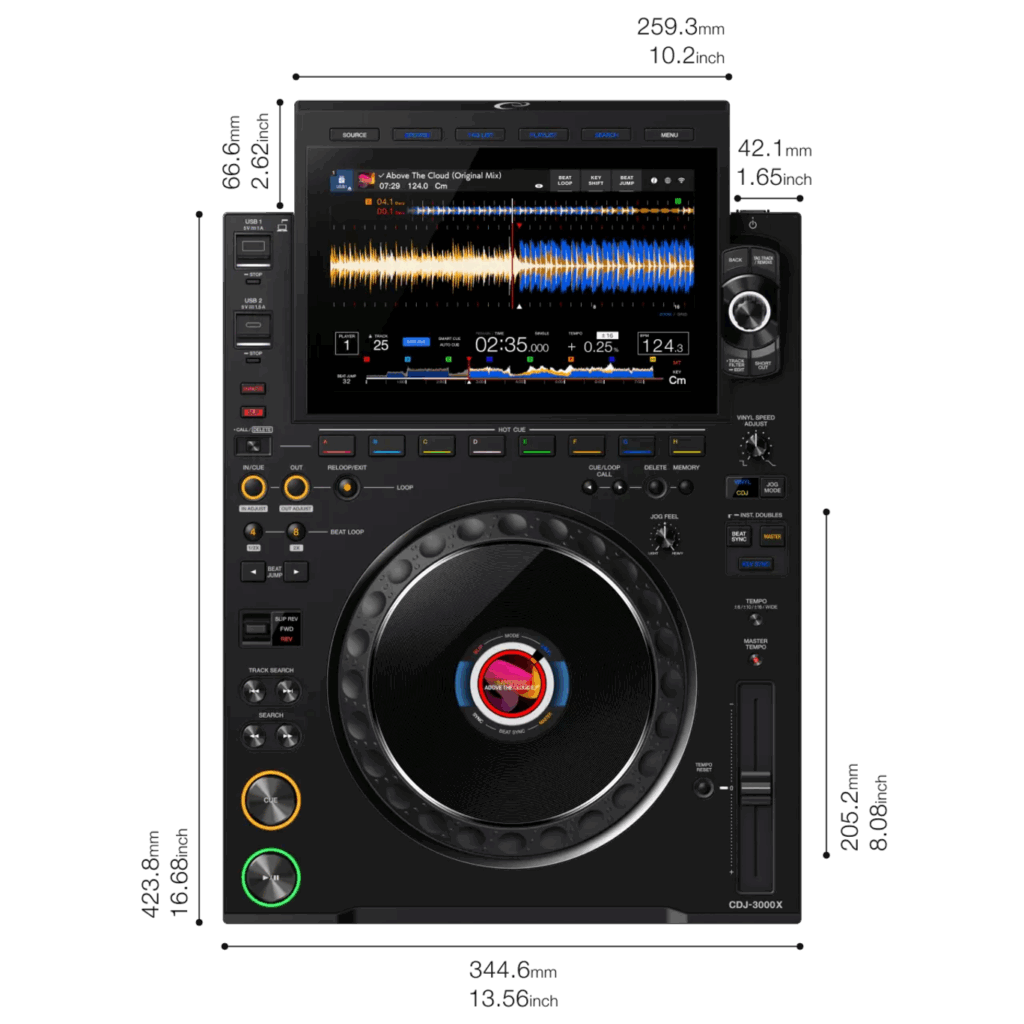
The CDJ-3000X keeps the core jog, the layout, and the tight feel that DJs trust. It adds three things that matter today: a bigger touch screen, built-in wireless/cloud features, and refined internal hardware. Those changes push the unit from a great media player into a tool that fits the streaming, phone-first DJ world.
Screen and browsing
The screen grew from nine inches to 10.1 inches. That change seems small on paper. In the booth it matters. You can now see more tracks, can touch waveforms faster and edit playlists without a laptop. The UI feels faster. Browsing feels more like using a phone than a CD-era device. That helps when you pull music from cloud services or big USB libraries.
Wireless, Cloud, and Phone Login
This is the major shift. The CDJ-3000X has built-in Wi-Fi. It links to cloud libraries and to services like Beatport and TIDAL (where subscriptions apply). It adds NFC and QR login so you can tap your phone and pull your Rekordbox or cloud view. No more shoving USB sticks in and hunting for files. You still can use USB sticks. But now you can also DJ with what lives on your phone or the cloud. That change will affect how many DJs prepare and carry music.
New Cue and Performance Tools
AlphaTheta added fresh cue modes. Touch Cue lets you touch a waveform on the screen and hear that point in your headphones. Gate Cue plays sound only while you hold a cue button. Both modes give you new tricks for live edits and tight stutters. The Hot Cue workflow also got updates. These tools let controller-style moves on a deck that sits in a club booth. If you play live edits or mashups, these help you pull new moves quick.
Ports, USB-C and Connections
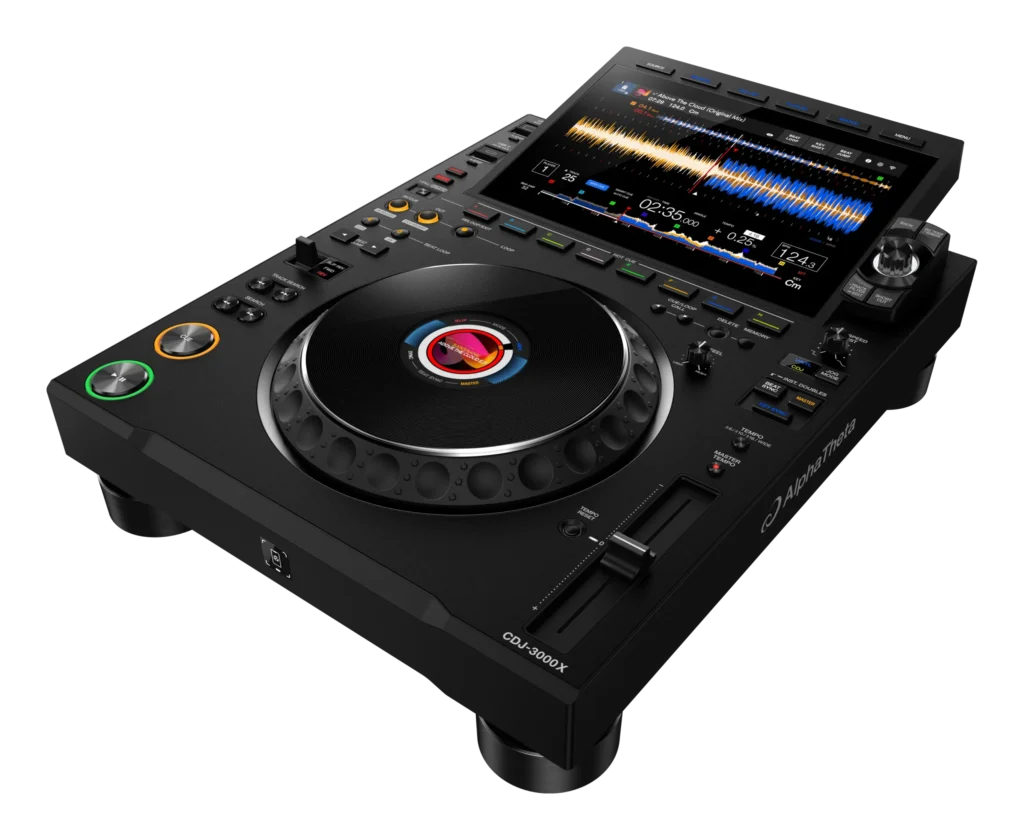
The CDJ-3000X adds USB-C ports. It gives faster data flow and better compatibility with modern laptops and drives. The unit keeps a Type-A port too. The upstream connection moved to USB-C in some cases. That change modernises setups. It also opens up better cable routing and fewer adapters onstage.
Sound and Power
AlphaTheta reworked the DAC and power section. They opted for an ESS-series DAC and tuned the power supply to give cleaner low end and a higher S/N ratio. The Pioneer DJ CDJ-3000 already sounded top notch. The CDJ-3000X tightens the bass and lowers noise a bit more. You might not hear all the change on club speakers. But on good monitors and FOH, the difference can show.
Build and Durability
Pioneer DJ made small but useful hardware tweaks. The play and cue buttons now last longer. AlphaTheta added a locking power cable. The finish moved to a matte look. The jog wheel stays precise but designers refined its feel. These tweaks aim to keep the unit solid in heavy club use. They also aim to cut down on surprise failures mid-set.
What’s Removed or Moved
So what was moved and removed with regards to the CDJ-3000 vs CDJ-3000X? If you liked the SD slot location on the old model, check the X closely. AlphaTheta moved ports and reworked the front layout. Some DJs noted differences in SD access and port placement. The CD tray never returned (that stopped on earlier models). But the slot and port layout now reflect a phone-first workflow. Check the spec sheet if SD cards are part of your routine.
Price and Value
Expect to pay more for the X. It sits above the CDJ-3000 in price. You pay extra for the screen, Wi-Fi, new DAC, and USB-C. If you run clubs, festivals, or pro rigs that need wireless and cloud features, the X makes sense. If you run a tight budget and only use USB sticks or CDs, the original CDJ-3000 still gives huge value.
Who should upgrade to CDJ-3000X?
If you stream or use cloud libraries, upgrade. The X cuts time and stress.
If you live on controller-style tricks but want a deck, upgrade. New cue modes help.
If you only use USB sticks and you like the CDJ-3000 now, hold off. The core feel stays close. The X changes workflow, not the entire playing style.
CDJ-3000X – Quick pro tips
- Test Wi-Fi in your venue before a paid gig. Venue Wi-Fi and club setups vary.
- Try NFC login with your phone first. Save a backup USB just in case.
- Update your Rekordbox app and check streaming subscription rules. Some services require paid accounts to play in performance mode.
CDJ-3000 VS CDJ-3000X – Summary
The CDJ-3000X builds on the CDJ-3000. It adds a bigger touchscreen, built-in Wi-Fi/cloud support, NFC/QR phone login, USB-C, new cue modes (Touch Cue, Gate Cue), a new DAC and tuned power supply, and small hardware tweaks for durability. It costs more. The X targets DJs who want a phone-first, cloud-ready setup. If you mainly use USB sticks and want the core CDJ feel, stick with the CDJ-3000. If you want future-ready workflow and new performance tools, the CDJ-3000X earns a look.
Checklist: Switching from USB Sticks to Cloud DJing
1. Prep Your Music Library
Audit your current USB library — remove duplicate tracks, broken files, and outdated edits.
Make sure all tracks are properly tagged (artist, title, BPM, genre).
Add cue points, loops, and hot cues in Rekordbox.
Normalize track keys and tempos if you use harmonic mixing.
Organize playlists into folders that match how you play live (by vibe, energy, or genre).
2. Choose Your Cloud Service
Pick a platform supported by Rekordbox/CDJ-3000X (Beatport, Beatsource, TIDAL, SoundCloud Go+).
Check subscription tier — some limit offline storage or streaming quality.
Test audio quality settings (most DJs prefer 320kbps MP3 or FLAC).
3. Set Up Rekordbox Cloud Library
Link your Rekordbox account to Dropbox (or AlphaTheta’s cloud option).
Upload your prepared library from Rekordbox to the cloud.
Enable Cloud Library Sync so changes on your laptop/mobile reflect on decks.
Tag your tracks with “cloud badge” in Rekordbox to confirm sync worked.
4. Configure Devices
Update firmware on your CDJ-3000X (latest version supports full cloud functions).
Log in to your Rekordbox account on the CDJ-3000X using NFC or QR code.
Test login flow on your phone — make sure the process is smooth.
Connect to stable Wi-Fi in your home/studio before testing in a club.
Keep one USB stick as a backup library in case Wi-Fi fails.
5. Test Cloud Performance
Load playlists from the cloud onto the deck — check load times.
Preview waveforms and hot cues to see if metadata syncs correctly.
Test offline locker (if your service allows saving tracks locally).
Stress-test with long sets to see if your venue’s Wi-Fi holds up.
Practice recovery: what happens if the Wi-Fi drops mid-set?
6. Refine Your Workflow
Decide which tracks stay on local USB and which live in the cloud.
Keep “must-play” tracks cached offline.
Update your cloud playlists weekly — avoid bloating them with too many tracks.
Create a fallback folder of 50 emergency tracks on a USB drive.
Note any performance features (Touch Cue, Gate Cue) that now integrate with your cloud library.
7. Go Live
Test cloud login at your venue before doors open.
Run a quick Wi-Fi speed test (minimum 10 Mbps down recommended).
Keep your backup USB plugged into another port just in case.
Check volume/gain staging again — streaming tracks may vary in loudness.
Enjoy the lighter travel load — no more carrying dozens of USBs.
Pro Tip: Treat cloud setups as an addition to your workflow, not a full replacement. Always carry at least one USB stick with your essentials. Think of it as your safety net.